Identify the switch correctly
Record the switch designation, tag, service, range, units, and job context before calibration begins.
 Calibration Suite
Calibration Suite · Switch workflow
Capture the values that matter in a switch calibration and keep the instrument, technician, equipment, results, and final report together.
Purpose-built workflow
Each stage supports the calibration record the technician is creating, with no disconnected feature claims or unnecessary complexity.
Record the switch designation, tag, service, range, units, and job context before calibration begins.
Keep the operating point and return point together so the calibration record reflects the complete switch action.
Record the relationship between setpoint and reset instead of leaving the technician to reconstruct it later.
Review tolerance and as-left results before completing the professional calibration report.
One connected sequence
Visible proof
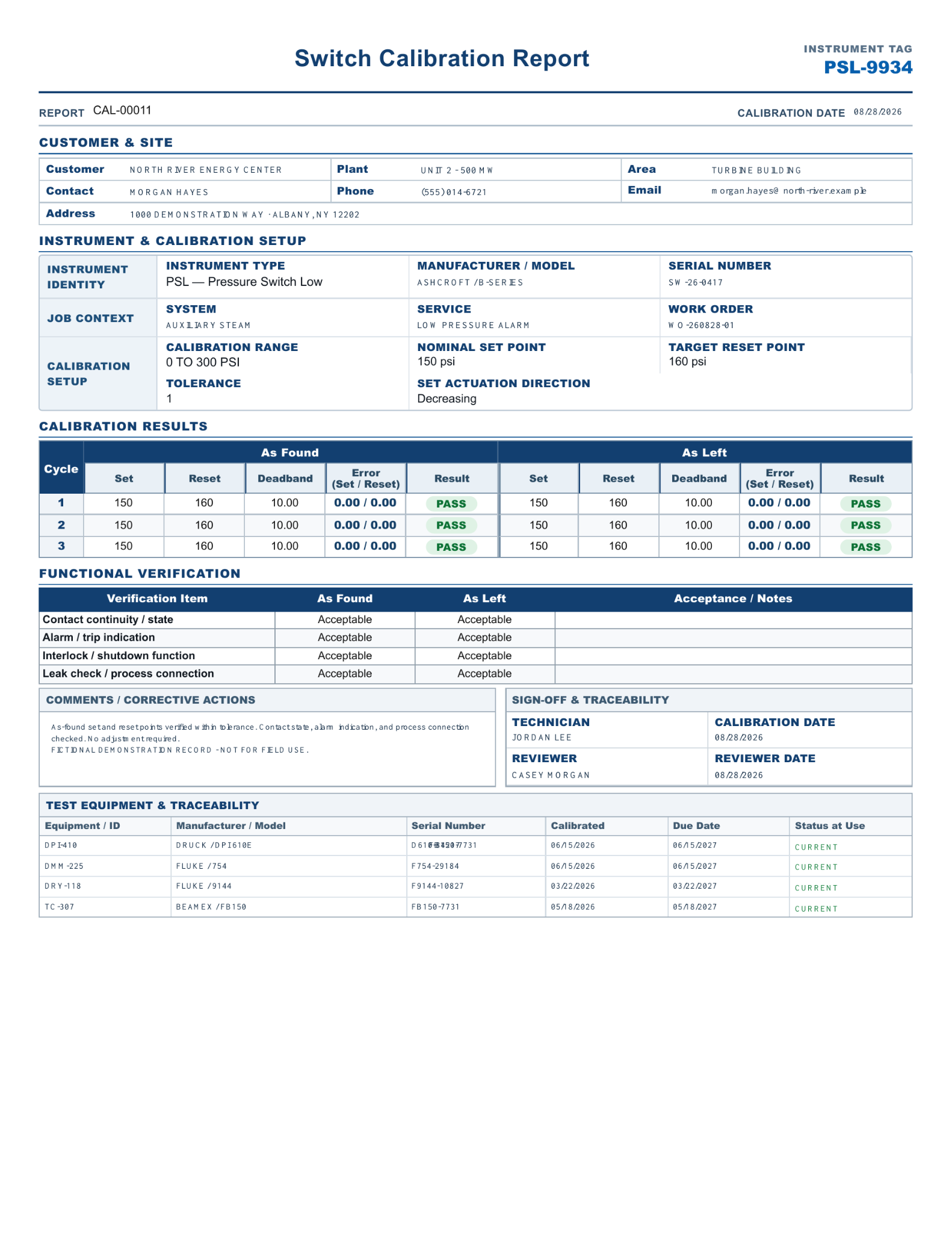
The final record keeps setpoint, reset, deadband, results, sign-off, and test-equipment traceability on one organized report.
Open all four sample reports →