Guided Calibration Workflow
Move clearly from setup through calibration and reporting.
 Calibration Suite
Calibration Suite for Windows · United States and Canada prelaunch
Built for the Work Technicians Actually Do
Manage customers, jobs, instruments, guided calibrations, professional reports, and calibration history in one straightforward application.
Starting at US$399/year · Complete software · No artificial feature tiers
 Calibration Suite
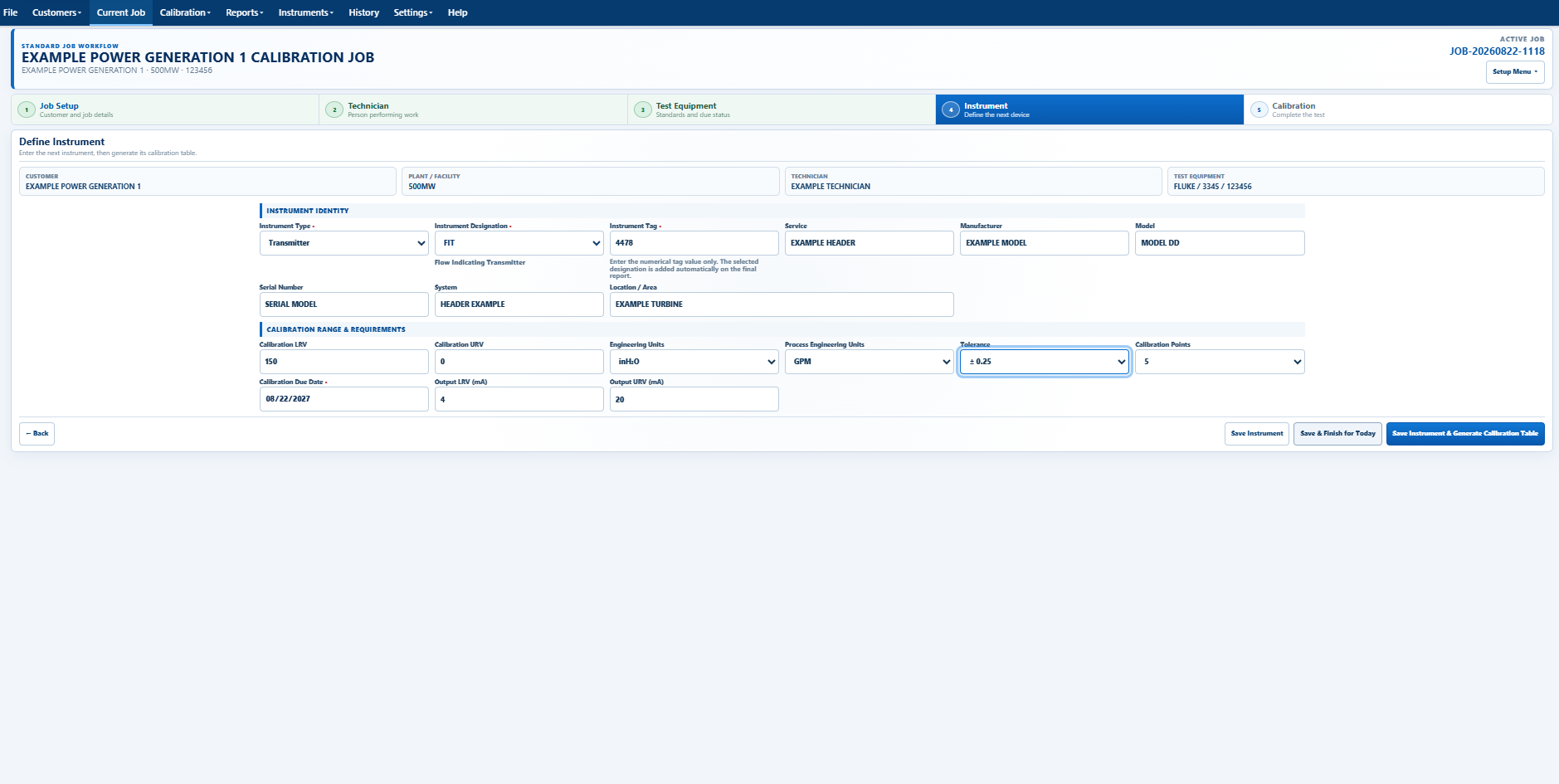
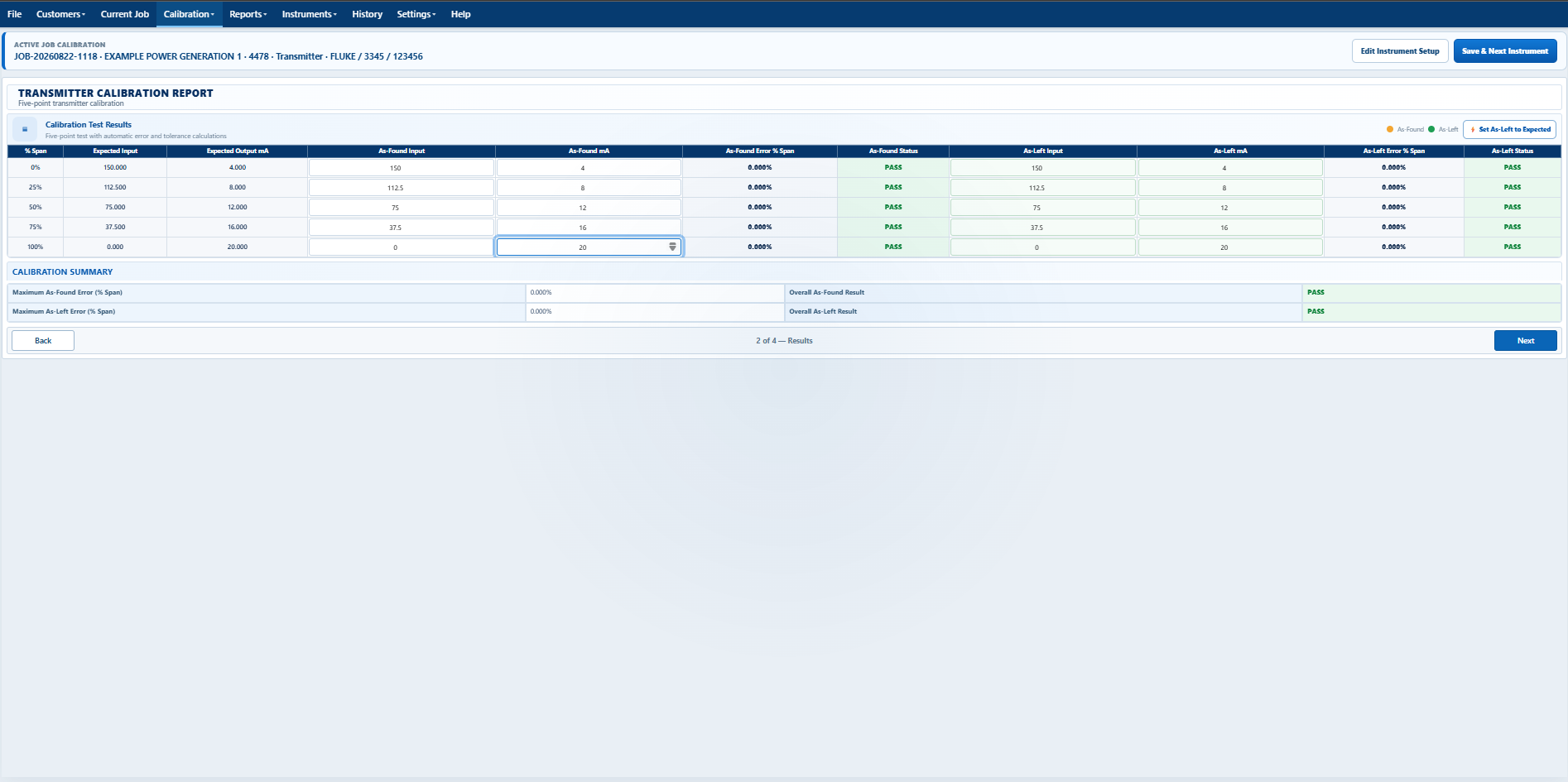
Move clearly from setup through calibration and reporting.
Reuse technician defaults, instrument data, and dates.
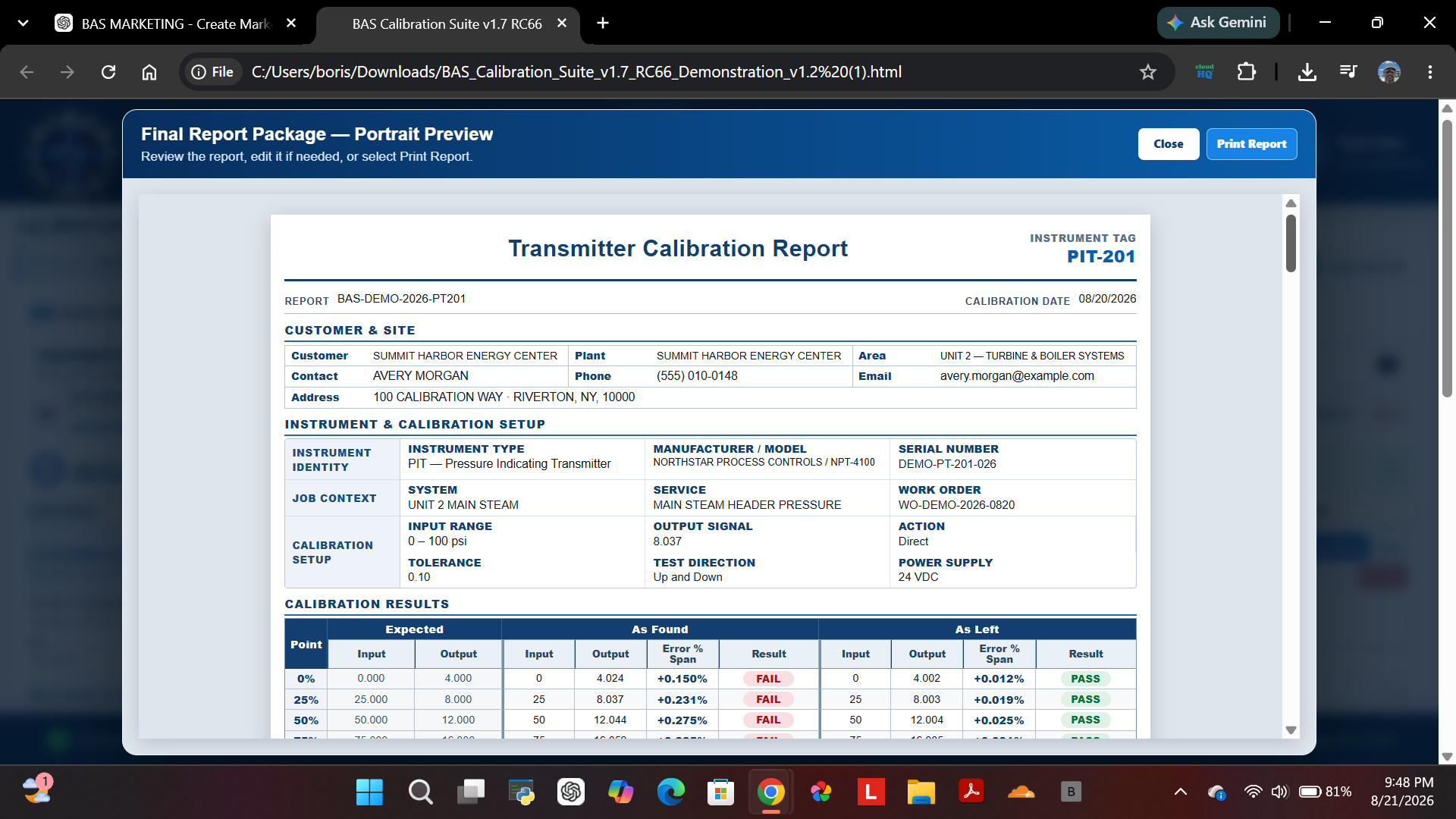
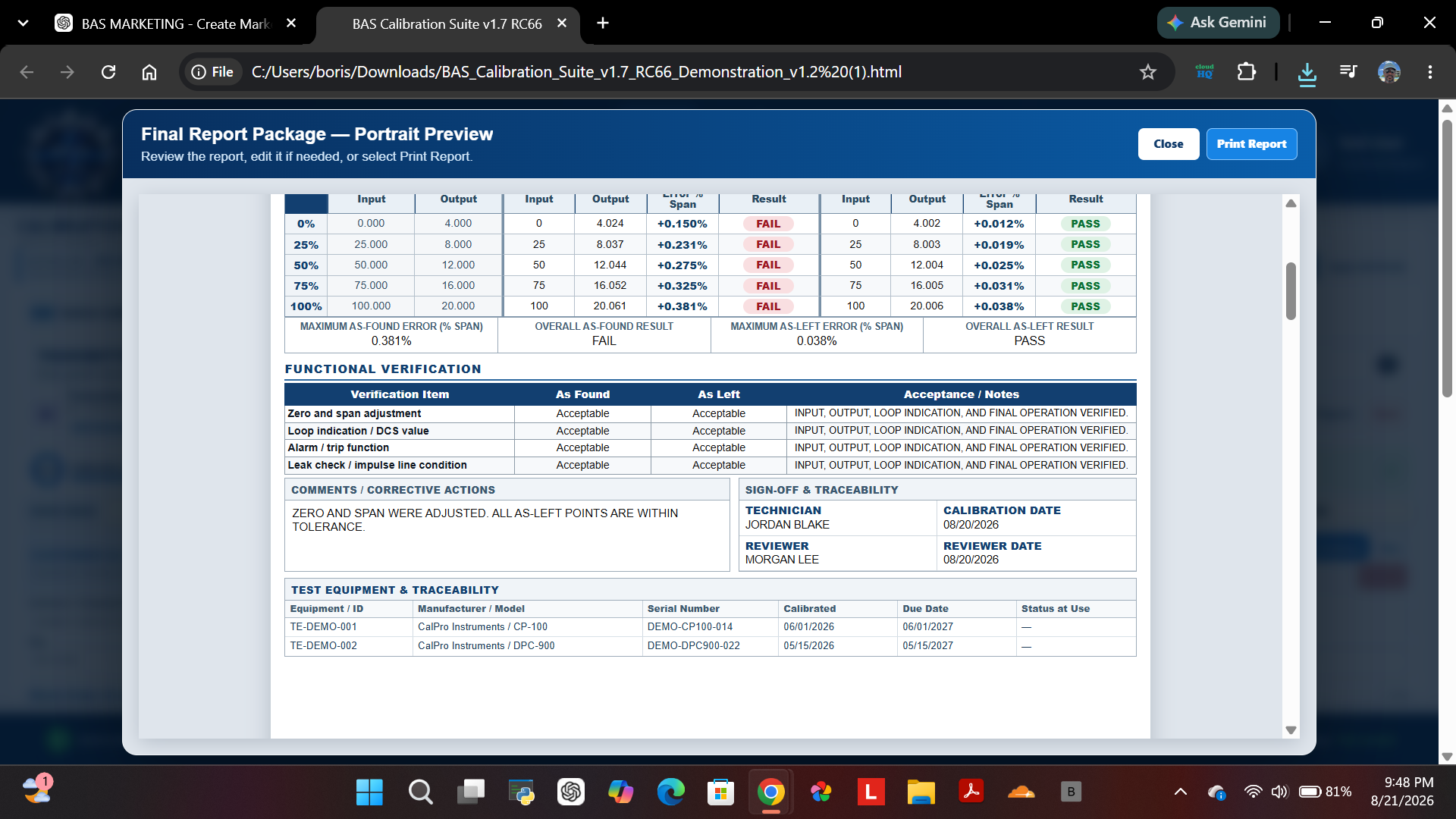
Turn recorded work into organized customer documentation.
One connected process
Calibration Suite keeps every stage connected, guiding technicians through the work while organizing the information needed for professional documentation.
Designed around the technician
Calibration Suite handles routine organization and repeated documentation so technicians can stay focused on completing accurate calibration work.
Store commonly used technician information and apply it to future work.
Let Calibration Suite supply appropriate dates throughout the workflow.
Reuse organized instrument records instead of starting over.
Complete transmitter, switch, RTD, and thermocouple workflows.
Locate previous jobs, reports, and instrument activity more easily.
Help protect important customer, instrument, and calibration information.
Product demonstration
Follow the connected workflow from instrument setup through completed calibration results and customer-ready documentation.
Professional documentation
Straightforward annual licensing
Every licensed computer receives the complete Calibration Suite. Pricing is based only on the number of active Windows computers.
US$399 per year
US$300 each, per year
US$250 each, per year
Payment-processing costs are included in the published price. Required sales taxes are added separately at checkout.
Free technician resources
Open practical field calculators for signals, temperature sensors, calibration error, tank volume, and switch deadband. No account or download is required.
Common questions
The homepage keeps this list short. More detailed product, licensing, trial, and support guidance will remain available in the full Calibration Suite resource center.
View All Frequently Asked QuestionsCustomers, jobs, instruments, guided calibrations, professional final reports, and calibration history in one organized application.
The initial release supports structured workflows for transmitters, switches, RTDs, and thermocouples.
Calibration Suite is designed and tested for 64-bit Windows 11 Home. Additional Windows versions will be listed only after successful testing.
The evaluation trial lasts 30 calendar days and begins after the first successful trial activation—not when the installer is downloaded.
Yes. Calibration Suite does not use artificial feature tiers. Pricing is based only on the number of licensed Windows computers.
Contact BAS
Send your question directly to BAS Software Solutions. Your message stays within the BAS website and is routed to the appropriate business mailbox.
Calibration Suite Early Access
Request early access without leaving the BAS website. We will contact you when the 30-day trial becomes available.