Choose the RTD element
Identify the element type and record the temperature range and units that define the calibration.
 Calibration Suite
Calibration Suite · RTD workflow
Move from RTD identification to point-by-point results and a complete final report while preserving the job and traceability information around the test.
Purpose-built workflow
Each stage supports the calibration record the technician is creating, with no disconnected feature claims or unnecessary complexity.
Identify the element type and record the temperature range and units that define the calibration.
Keep expected, as-found, and as-left entries aligned across every calibration point.
Document the instrument as received and as returned so the final status is supported by the record.
Return to previous jobs and reports through the connected customer and instrument history.
One connected sequence
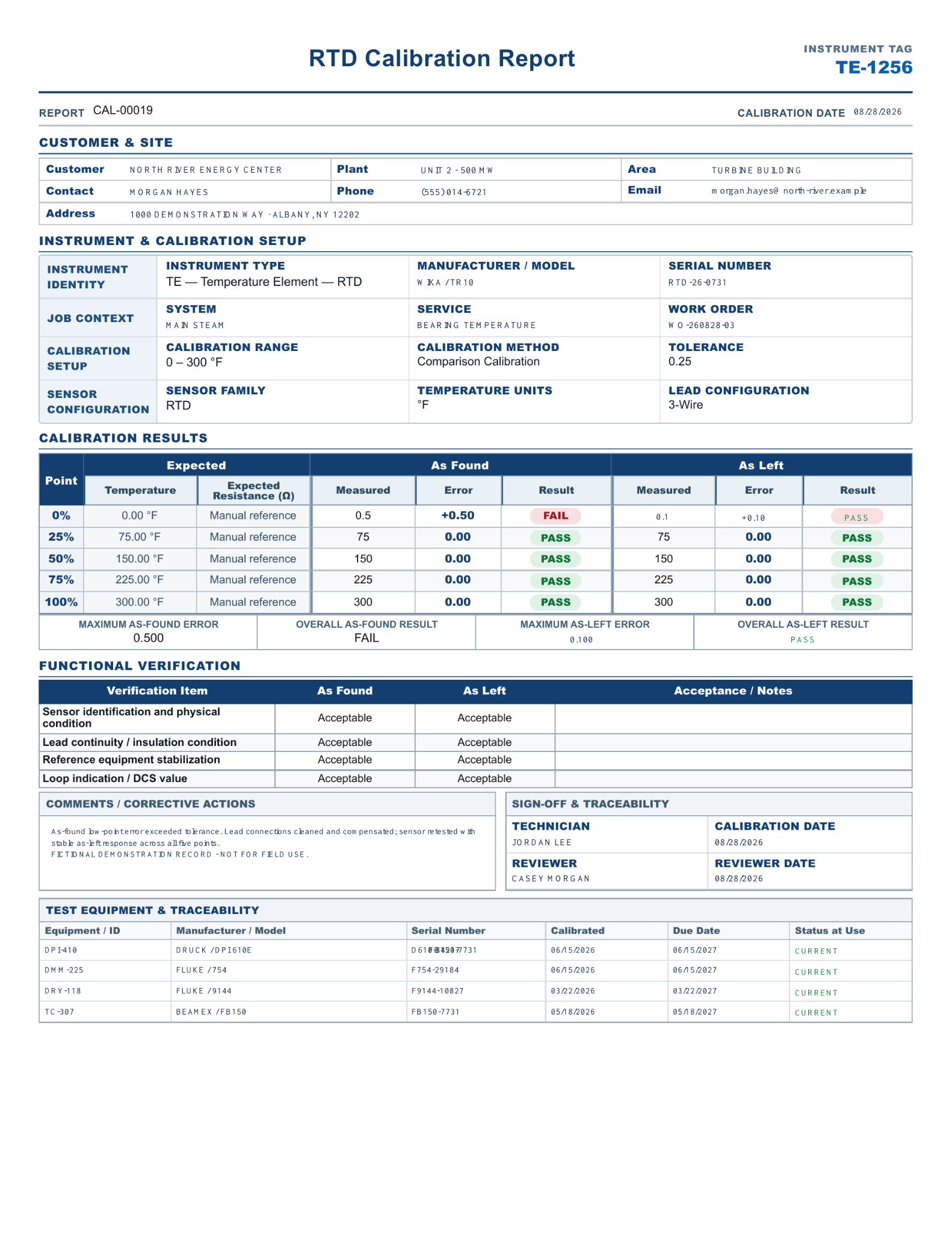
Visible proof
The RTD workflow keeps the calibration table inside the same customer, job, instrument, reporting, and history structure used throughout Calibration Suite.
Open all four sample reports →