Define the instrument
Record the tag, service, range, engineering units, and transmitter details used throughout the workflow.
 Calibration Suite
Calibration Suite · Transmitter workflow
Guide pressure, level, flow, and temperature transmitter work from instrument setup through documented results without rebuilding the job at every step.
Purpose-built workflow
Each stage supports the calibration record the technician is creating, with no disconnected feature claims or unnecessary complexity.
Record the tag, service, range, engineering units, and transmitter details used throughout the workflow.
Use a structured five-point calibration table to record expected, as-found, and as-left results.
Document the transmitter's scaled process range alongside its output range, including standard mA applications.
Carry technician, test-equipment, instrument, job, and result information into the final report.
One connected sequence
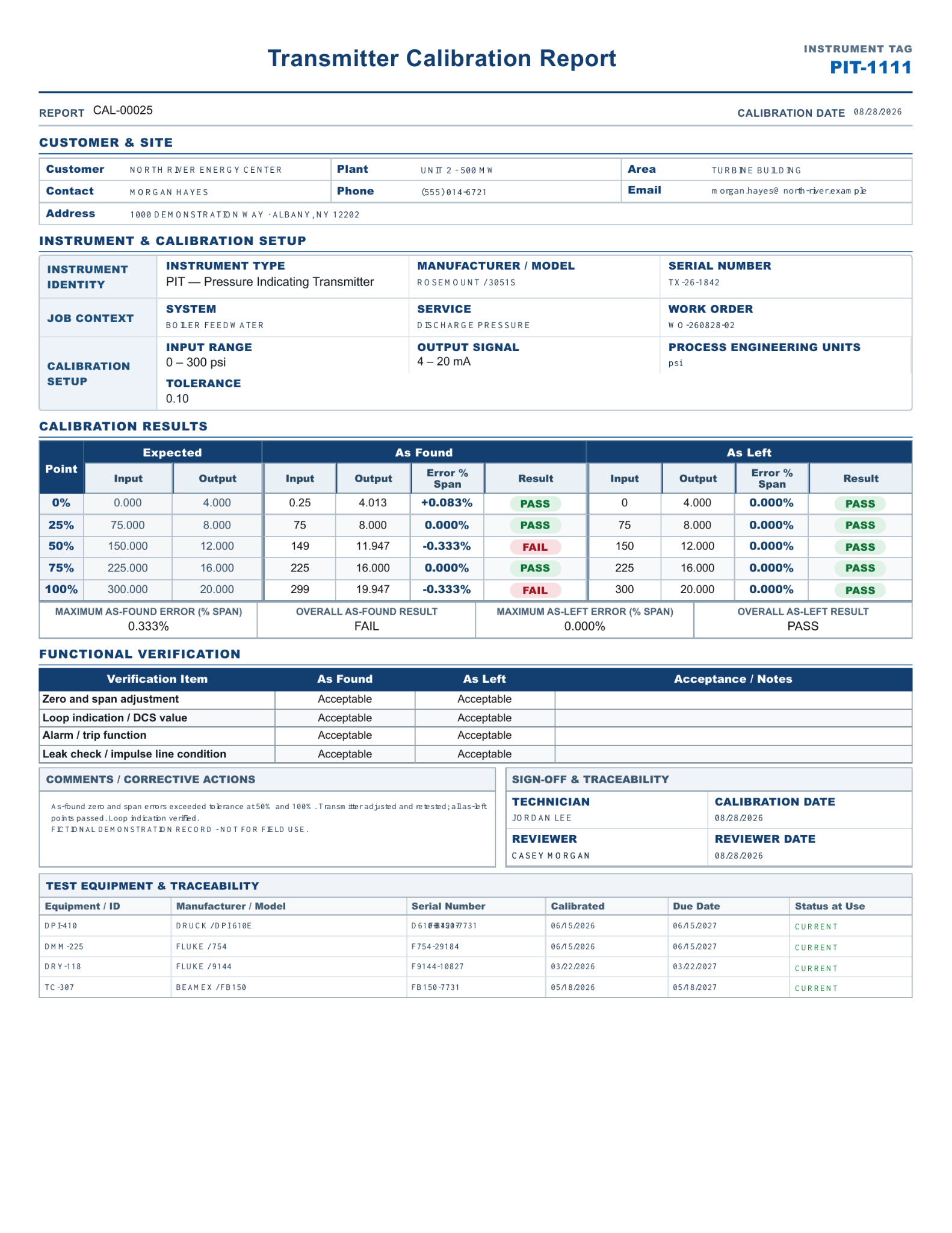
Visible proof
The final report keeps the instrument, technician, test equipment, calibration results, verification, and sign-off together on one organized page.
Open all four sample reports →